
The move to the Cloud and working in cloud-based environments are now an integral part of modern business. Many organisations are already adopting hybrid set-ups, comprising their own data center (on-premises) and complementary Cloud services. Other organisations, particularly start-ups without their own infrastructure, pursue a consistent ‘cloud-only’ strategy from the outset. However, once migration to the Cloud has been completed and the Cloud is actively in use, it is often overlooked that this environment, too, must be reliably backed up.
Why is Cloud backup necessary at all?
Many hyperscalers, such as Amazon, Microsoft or Google, explicitly exclude backup as an included service in their contracts. With a Cloud subscription, customers generally only purchase the availability of the services – such as Microsoft Entra ID or Exchange Online – but no guarantee of data backup.
A common misconception is to equate high availability with data security. Responsibility for data backup always lies with the customer, just as it does in the traditional on-premises environment.
Various solutions are available on the market for this purpose, including both SaaS-based backup services and on-premises approaches.
What questions should businesses ask themselves?
-
Continuing to work in an emergency: Do I want a data backup so that I can continue working on-premises in the event of a failure or compromise of my Cloud tenant?
-
New tenant in an emergency: Do I want a data backup that, in an emergency, provides me with a new tenant containing my old Cloud backup data?
-
On-premises storage: Do I want to maintain on-premises storage for a backup?
-
Backup in the Cloud: Do I want to store all backup data in the provider’s Cloud?
-
Multi-cloud strategy: Do I want to establish a multi-cloud strategy in which my data is stored redundantly across several hyperscalers to maximise reliability and independence?
-
Integration into BCM: How can the backup strategy be effectively integrated into Business Continuity Management (BCM) to ensure that business-critical processes can continue even in the event of a total system failure?
Our recommendation
A traditional on-premises backup for Cloud data is hardly effective anymore. If Cloud resources or the tenant are not available, in most cases the on-premises infrastructure required for recovery is also lacking. This approach should therefore be avoided. A file-only backup also falls short, as alternative storage strategies such as file servers or Nextcloud solutions may be more appropriate for individual files.
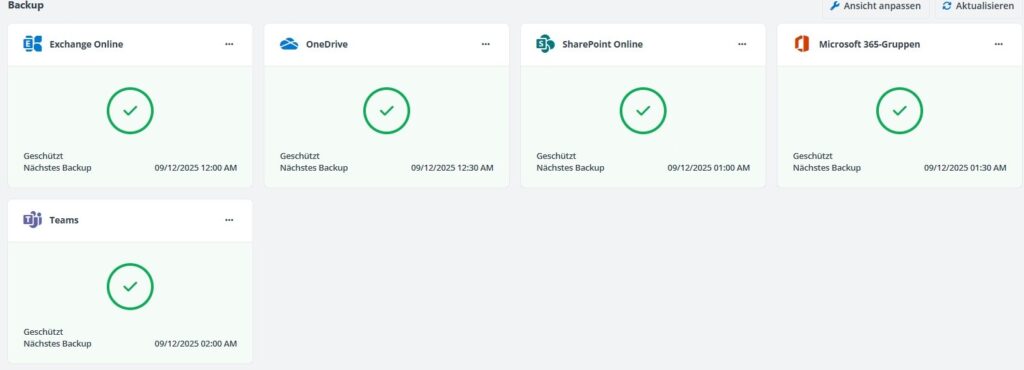
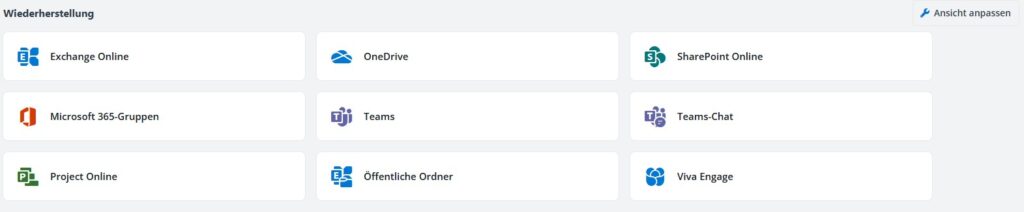
Professional SaaS backup service
Backs up all relevant cloud applications, including their data, and stores them in the cloud of the backup provider, with the aim of ensuring scalability, reliability and flexibility.
Multi-Cloud option
In the event of a widespread outage affecting a hyperscaler, data can be quickly recovered to an alternative environment, such as Amazon, Google or Microsoft. This increases resilience and protects against reliance on a single provider.
Integration into BCM
A backup is not merely a technical security measure, but the foundation for ensuring that business operations can continue without prolonged disruption in the event of a crisis, whether caused by cyber-attacks, technical failures or regulatory incidents.
Without a clearly defined backup strategy, BCM also loses its effectiveness, and business continuity is jeopardised.
Mint Secure GmbH
How Mint Secure supports you
We help companies develop a Cloud backup strategy that aligns with their own Cloud strategy and business continuity management.
Cloud Backup Consulting
We analyse your Cloud environment and work with you to develop a suitable backup and multi-cloud strategy.
ISMS & Compliance
We support you in integrating your backup strategy into an effective business continuity management framework.
Security Audit
We assess your existing backup and recovery strategy for gaps and vulnerabilities.
Conclusion
Cloud data is not automatically backed up, as hyperscalers such as AWS, Microsoft and Google guarantee the availability of their services in their contracts, but not the backup of your data.
The responsibility for a functioning backup strategy – including multi-cloud options and integration with business continuity management – always lies with the company itself.
Mint Secure helps you to develop and implement a robust cloud backup strategy. Talk to us.